Australian Visa Overview
VISA permission required
The Visa Overview page provides a summary of all Australian visa applications managed by your organisation. Use it to quickly assess the health of your visa workload across all clients and agents.
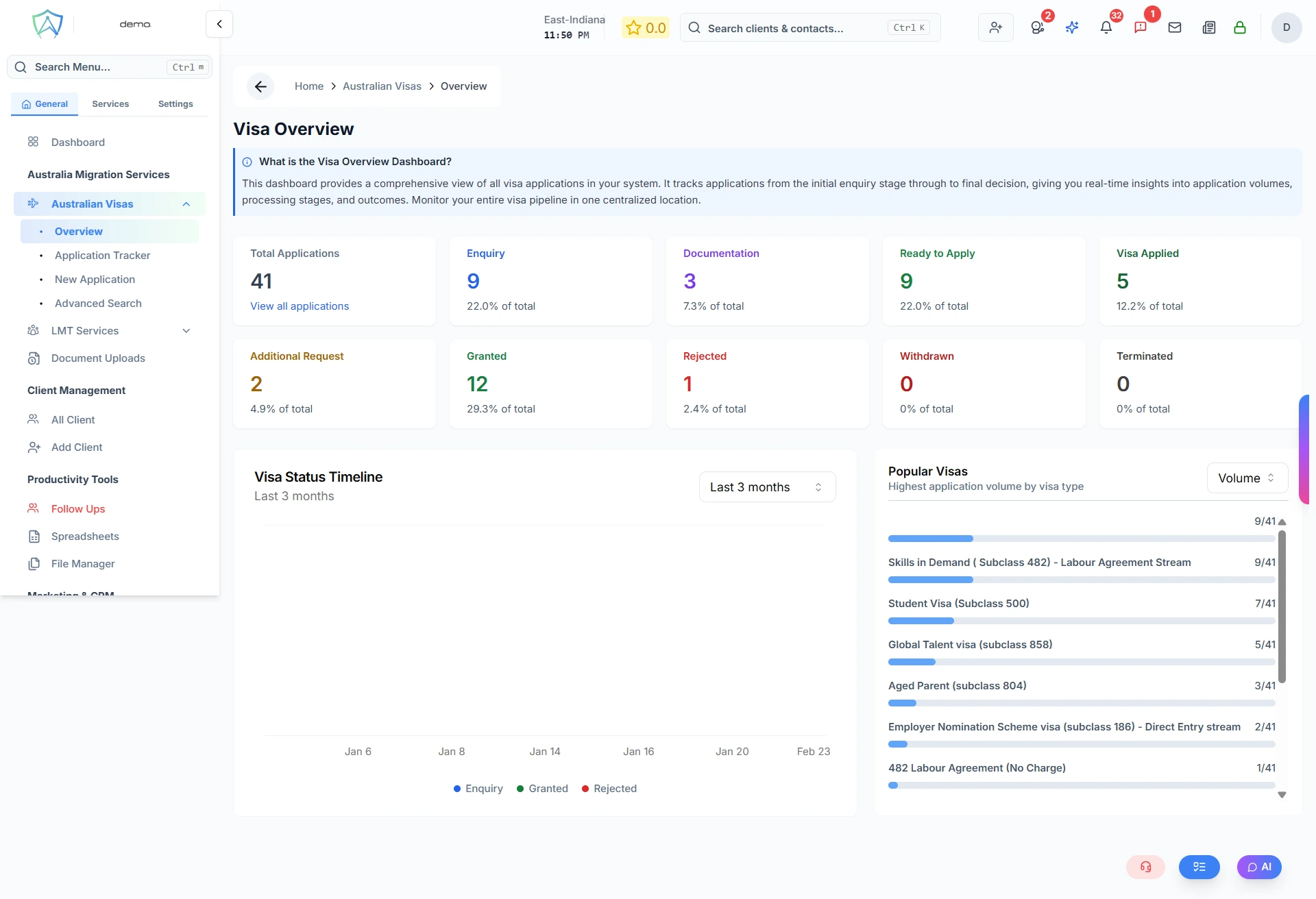
What You'll See
Summary Statistics
Applications move through the following status values as they progress:
| Status | Displayed As |
|---|---|
enquiry | Enquiry |
drafted | Documentation |
readytoapply | Ready to Apply |
applied | Visa Applied |
caseopened | Additional Request |
granted | Granted |
rejected | Rejected |
withdrawn | Withdrawn |
terminated | Terminated |
The overview totals applications across these statuses. Overdue isn't a status itself — it's a flag on applications that have missed an internal deadline, regardless of which status they're currently in.
Application Breakdown by Visa Type
A chart showing the distribution of applications across different Australian visa subclasses (e.g. 482, 186, 189, 190, 491, 500) — grouped by Visa Category, not by status.
Application Breakdown by Agent
For admin roles, a table showing how many applications each agent is currently handling.
Monthly Trend
A line graph showing application volumes over recent months — useful for identifying seasonal patterns.
Filtering the Overview
Use the filters at the top of the page to narrow the statistics:
- Date Range — filter by lodgement date or decision date
- Visa Type — filter by specific visa subclass
- Agent — filter by assigned case officer
- Status — filter by any of the statuses above
- Branch (admin roles) — filter by office branch
Exporting Data
Click Export to download the current view as a CSV or PDF report.