Application Tracker
Required Role
VISA permission required
The Application Tracker is the central hub for managing all Australian visa applications. Every application — from initial intake to final decision — is tracked here.
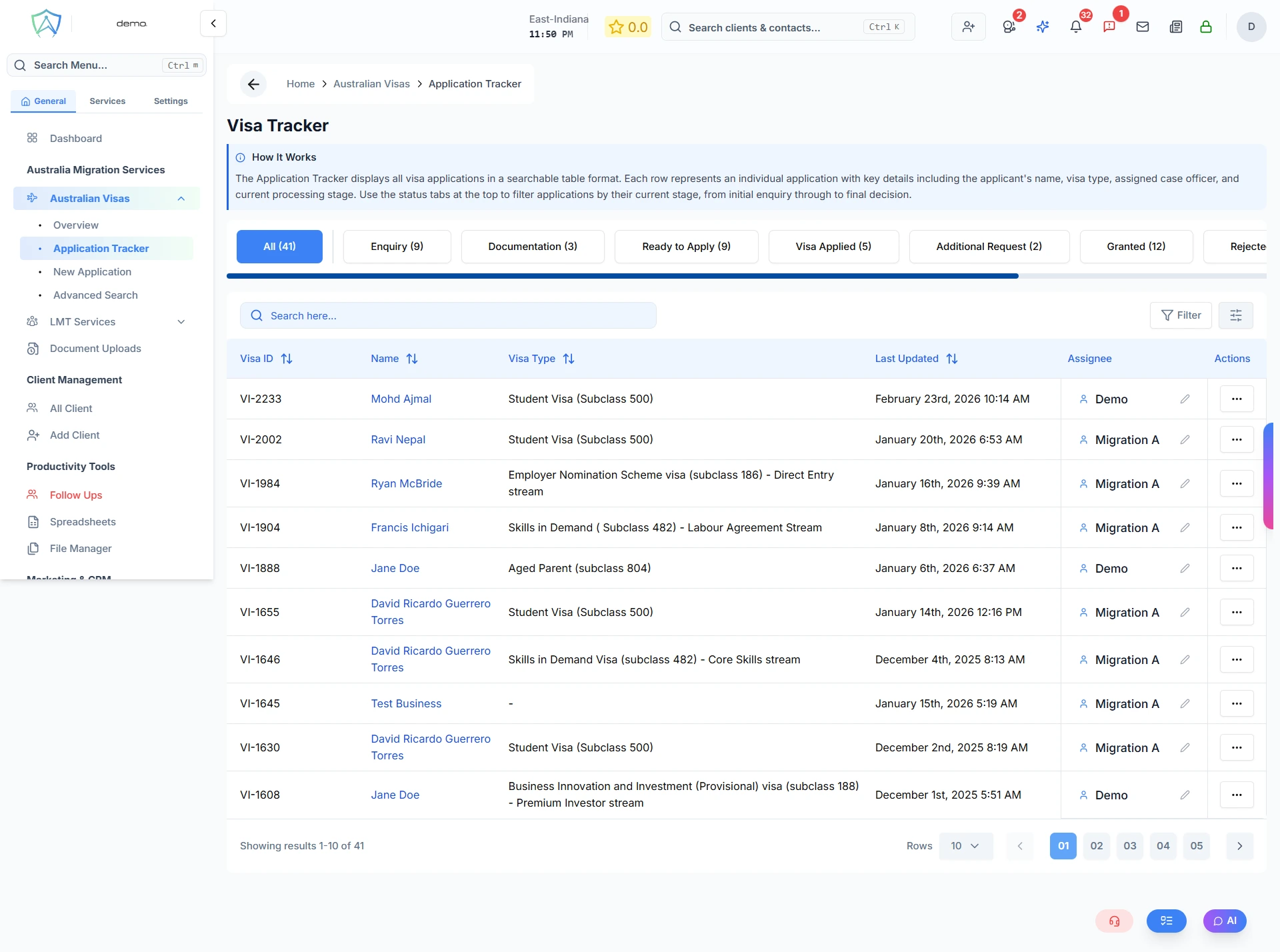
Understanding the Tracker
The tracker displays applications in a table with the following columns:
| Column | Description |
|---|---|
| Visa ID | Unique identifier for the visa application (e.g. VI-123) |
| Name | The applicant's full name (links to the visa detail page) |
| Visa Type | The Australian visa subclass (e.g. 482, 186, 189) |
| Last Updated | Date and time the application record was last modified |
| Expected Lodgement Date | Target date to lodge the application (shown for Enquiry, Documentation, Ready to Apply stages) |
| Assignee | The staff member (case officer) responsible for managing a visa application (shows current assignee; can be changed via inline assign control) |
| Due Date | Deadline for responding to an additional information request (shown for Additional Request stage) |
| Visa Expiry Date | Expiry date of the current visa (shown for granted and final stages) |
Application Statuses
Applications move through the following stages:
| Status | Meaning |
|---|---|
| Enquiry | Initial stage where the applicant seeks information or expresses interest |
| Documentation | Applicant is gathering and submitting required documents |
| Ready to Apply | All prerequisites are complete and the application is ready to submit |
| Visa Applied | Application has been lodged with the Department of Home Affairs |
| Additional Request | Authorities have requested further information or documentation |
| Granted | Visa application has been approved |
| Rejected | Visa application has been refused |
| Withdrawn | Applicant has voluntarily withdrawn the application |
| Terminated | Visa process has been cancelled due to non-compliance, expiration, or other factors |
Filtering and Sorting
Use the filter bar to narrow results by:
- All / My Applications — toggle between all applications and only those assigned to you
- Visa Type — filter by a specific visa subclass
- Search — search by client name
Click any column header to sort by that field.
Opening an Application
Click on a client's name to open the full visa application record, which includes:
- Client details and contact information
- Application notes and history
- Linked visa documents and processing details
Quick Actions
Each row has an action menu (⋯) that allows you to:
- Move the application to the next status
- Create a follow-up reminder for the case