Advanced Search - Skill Assessments (Australia)
Admin-level roles only (ADMIN_DATA_ACCESS_ROLES)
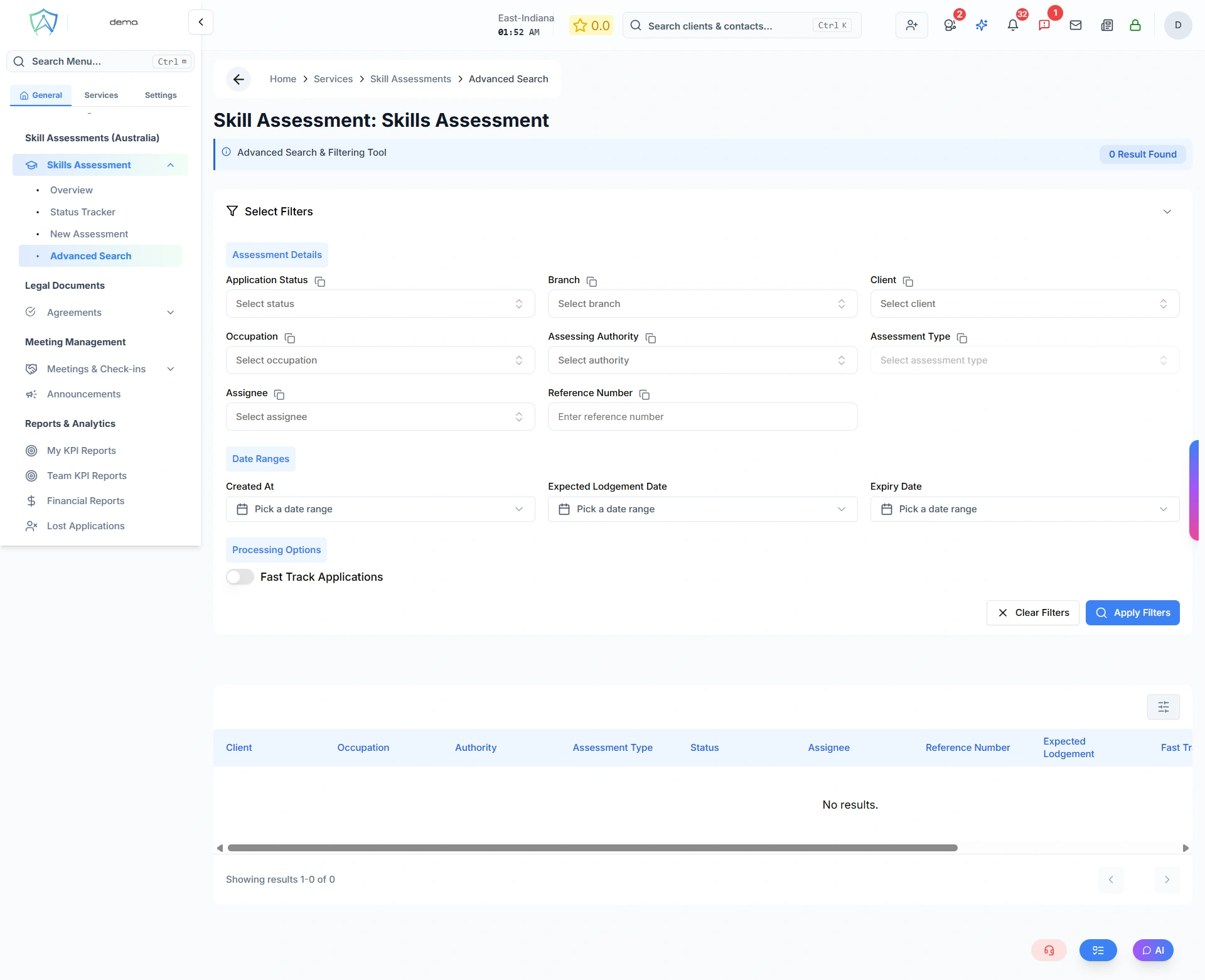
Use Advanced Search to run targeted queries across all skill assessment applications in your organisation. Unlike the Status Tracker which filters by a single step, Advanced Search lets you combine multiple criteria at once and act on the results in bulk.
How It Works
- Expand the filter panel
- Fill in one or more filter fields
- Click Apply Filters — results appear in the table below
- Click Clear Filters to reset everything
The result count is shown in the header next to the page title.
No results are shown until at least one filter is applied.
Filter Fields
Assessment Details
| Field | Description |
|---|---|
| Application Status | Filter by a specific workflow step, or select All |
| Branch | Filter by the branch the client belongs to |
| Client | Search and select a specific client by name or email |
| Occupation | Search and select an occupation |
| Assessing Authority | Search and select an assessing body |
| Assessment Type | Select an assessment type — only available after an authority is selected |
| Assignee | Filter by the staff member assigned to the application |
| Reference Number | Filter by an exact or partial external reference number |
Date Ranges
All three date range fields accept a from and to date:
| Filter | Description |
|---|---|
| Created At | When the application was created |
| Expected Lodgement Date | The planned lodgement date set on the application |
| Expiry Date | When the assessment result expires |
Processing Options
| Option | Description |
|---|---|
| Fast Track | Toggle on to show only fast-track applications |
Results Table
Once filters are applied, matching assessments are shown with the following columns:
| Column | Description |
|---|---|
| Client | Applicant's full name or business name |
| Occupation | The occupation being assessed |
| Authority | The assessing body |
| Assessment Type | The specific type of assessment |
| Status | Current workflow step |
| Assignee | Responsible staff member |
| Reference Number | External reference number |
| Expected Lodgement | Planned lodgement date |
| Fast Track | Whether the application is fast-tracked |
| Last Updated | Date and time of the last change |
Click any row to open the full assessment record in the client's profile.
Bulk Email
When filter results are available, a Send Bulk Email button appears in the results table toolbar. Use this to send an email to all clients matching the current filter criteria at once.