My KPI Reports
All authenticated users
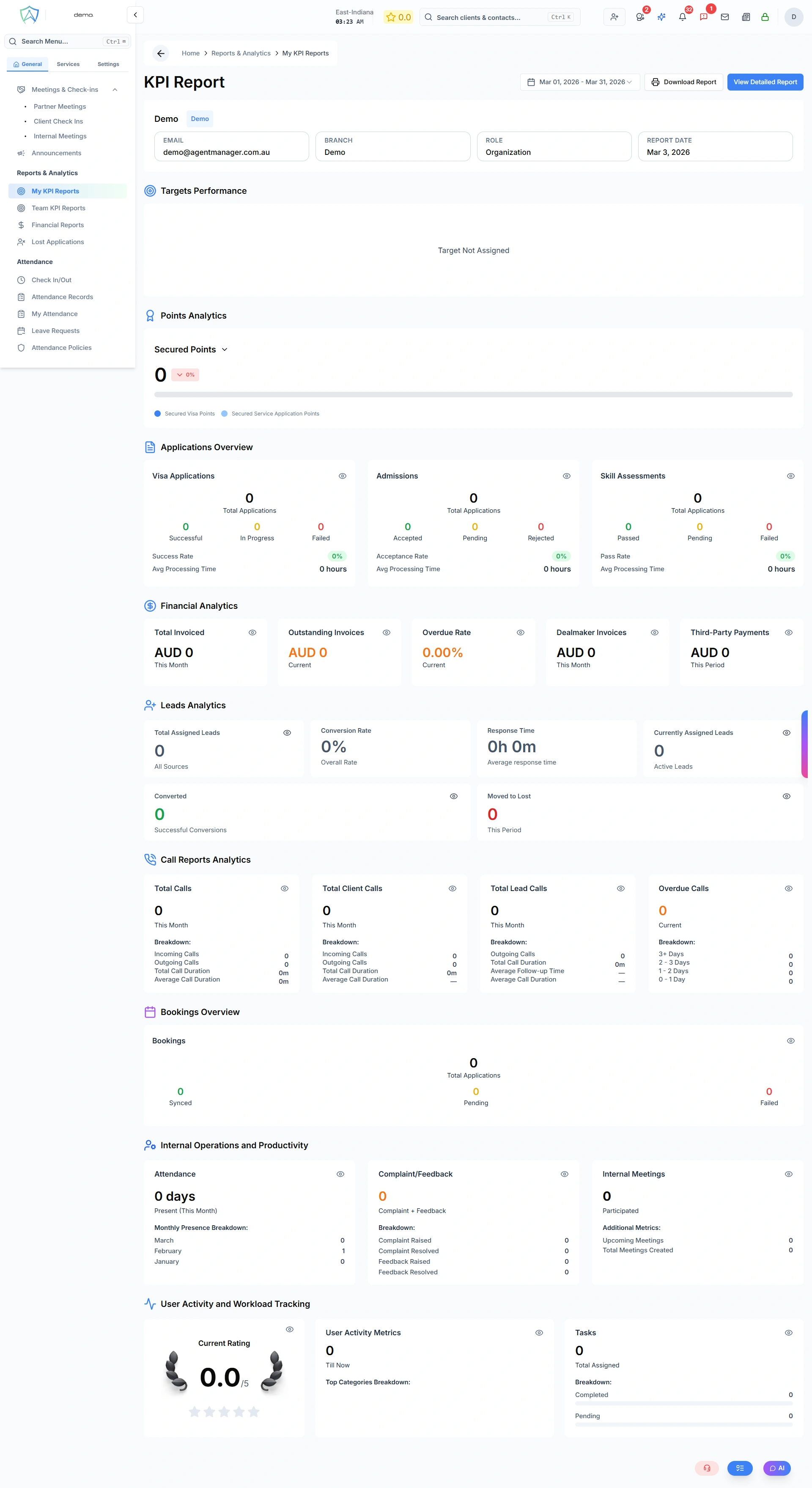
My KPI Reports gives you a personalised view of your own performance metrics, grouped into tabs by area of work.
Open KPI Reports from the sidebar — this is the My KPI tab, the default view.
KPIs Tracked
Which KPIs you see depends on your role. They're grouped into three areas:
| Group | Example KPIs |
|---|---|
| Counsellor | Leads secured, visas granted, applications lodged |
| Marketing | New leads generated, conversion rate |
| Finance | Revenue invoiced, document completion time |
The full catalogue behind these groups has 30+ KPIs — the same catalogue also powers Advanced KPI & AI Mode for open-ended questions.
Report Periods
Use the date range picker to view: Today, Yesterday, Last 7/14/30 days, This Week, Last Week, This Month, Last Month, This Year, Last Year, or a custom range.
Progress Against Targets
Where a target has been set for you (by an admin, via the Team Targets tab — see Team KPI Reports), each KPI shows your actual performance alongside it, with green / amber / red indicators showing how close you are.
Charts
Bar charts and trend/area charts show how your numbers move over time, depending on the KPI.