Dashboard Overview
All authenticated users
The Dashboard is the first screen you see when you log into Agent Manager. It gives you a real-time snapshot of your business performance, pending tasks, and upcoming deadlines — all in one place.
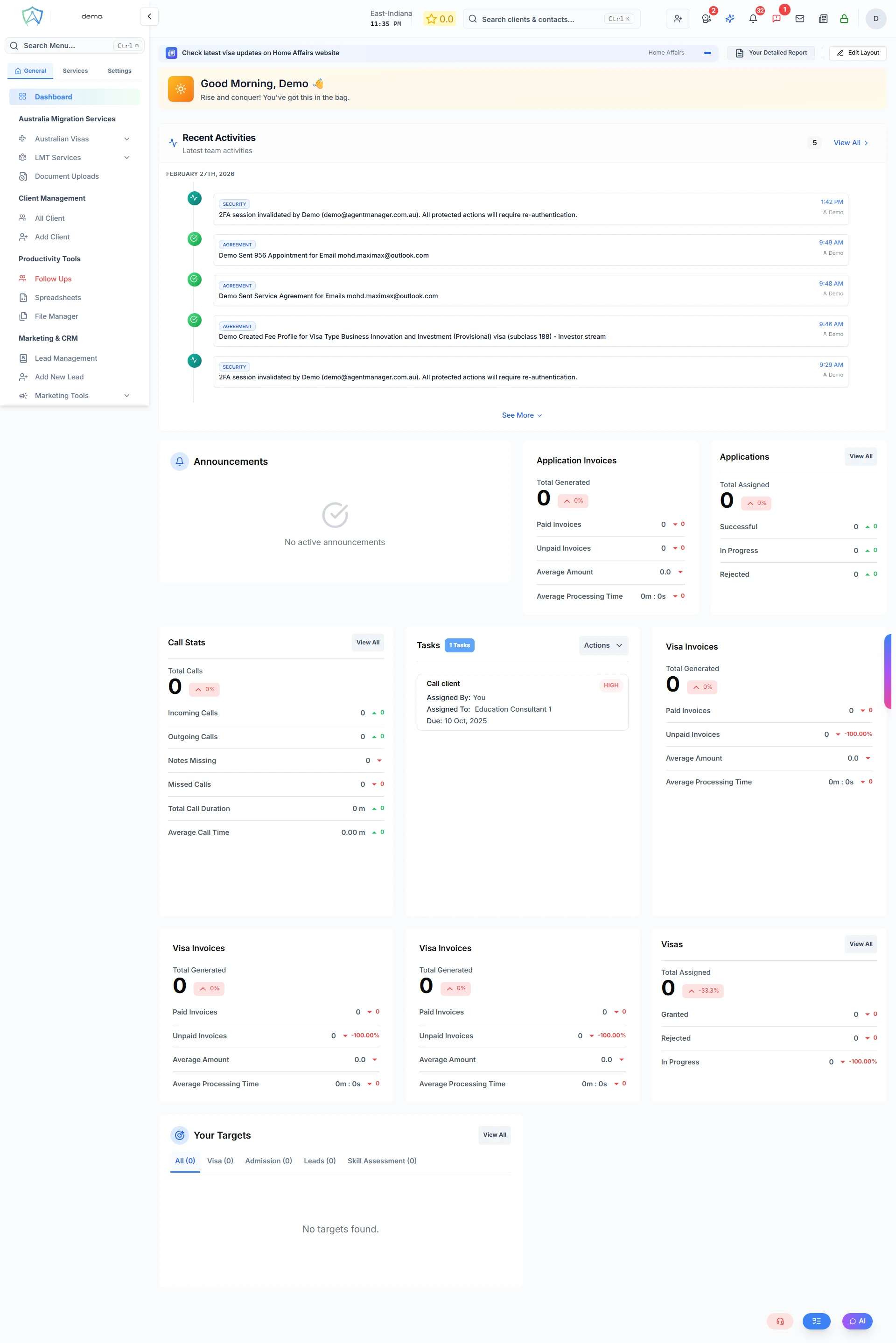
What's on the Dashboard
The dashboard is made up of configurable widgets. Depending on your role and permissions, you may see some or all of the following:
Key Metrics Cards
Quick-glance numbers showing:
- Total active clients
- Open visa applications
- Pending documents
- Applications due this week
Application Status Summary
A visual breakdown of all current applications by status (e.g. In Progress, Submitted, Approved, Rejected).
Recent Activity
A feed of the latest actions taken within your account — new clients added, applications updated, documents uploaded.
Upcoming Follow-Ups
A list of clients and tasks with follow-up deadlines approaching in the next 7 days.
Pending Documents
Clients who have outstanding document requests that need attention.
Revenue Summary (Admin roles)
A high-level financial snapshot including recent invoices and outstanding amounts.
Customising Your Dashboard
You can rearrange and configure your dashboard widgets to suit your workflow.
- Go to Settings → System Configuration → System Settings → Dashboard Layout
- Drag and drop widgets to reorder them
- Toggle widgets on or off to show only what you need
- Save your layout
Your layout is saved per user, so each team member can have a personalised view.
Dashboard Tabs
The dashboard may show tabs if your organisation has multiple branches or countries enabled:
- My View — data relevant to your own cases and tasks
- Team View (admin roles) — data across your team or branch
- Global View (global managers and above) — data across the entire organisation