Skill Assessment — Status Tracker
SKILL_ASSESSMENTS permission required
The Status Tracker lists all Australian skill assessment applications for a service. You can filter by status, search by client name, sort columns, reassign applications, and move them forward through the workflow.
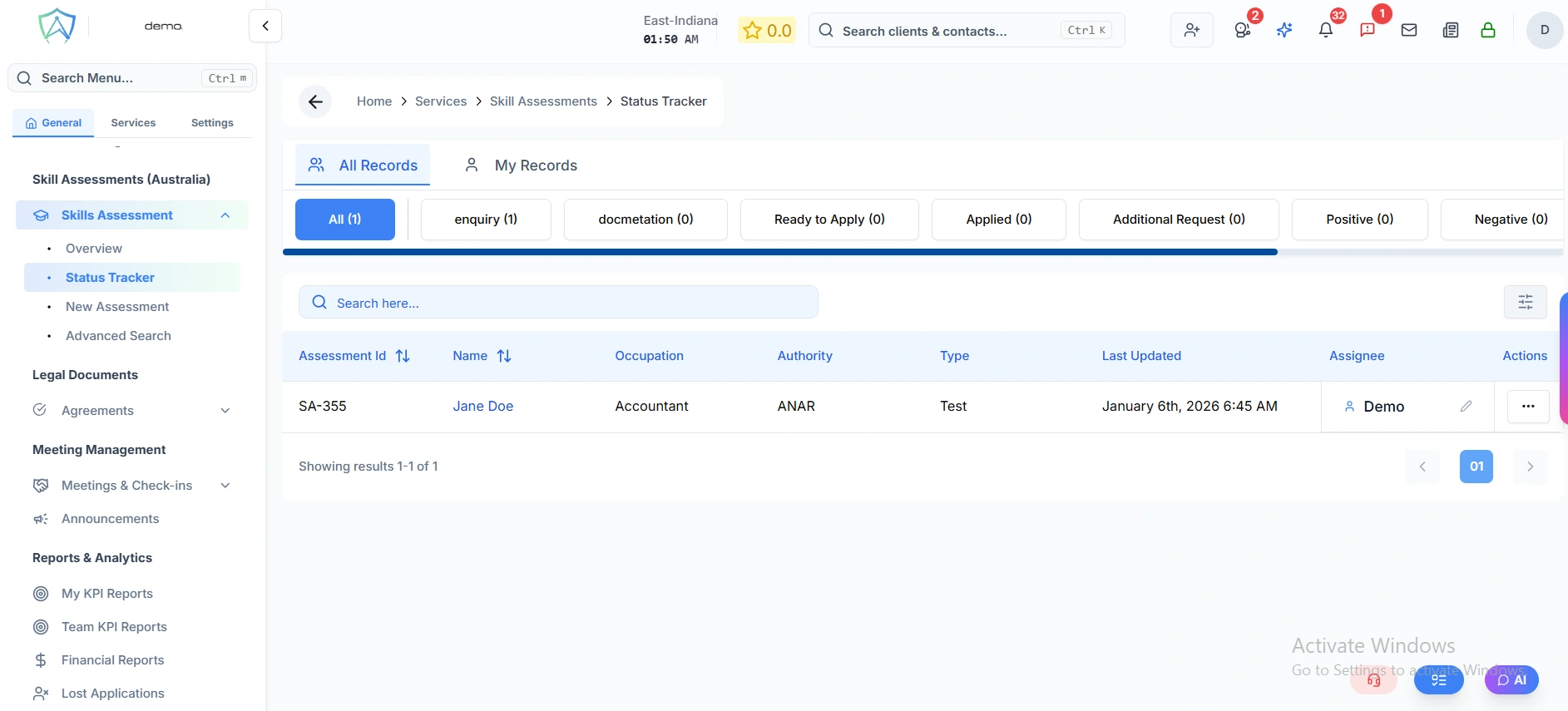
Status Tabs
At the top of the tracker, a tab row shows every configured workflow step together with the current application count in each step. Clicking a tab instantly filters the table to show only applications at that stage.
A special All tab is always available to view every application regardless of status.
Tracker Columns
| Column | Description |
|---|---|
| Assessment ID | Unique reference for the application, prefixed with SA- |
| Name | Client's full name or business name — click to open the full application record |
| Occupation | The ANZSCO occupation being assessed |
| Authority | The assessing body (e.g. Engineers Australia, ACS, VETASSESS) |
| Type | The specific assessment type offered by that authority |
| Assignee | The staff member responsible for this application — can be changed directly from the table |
| Last Updated | Date and time the record was last modified |
Opening an Application
Click any row (or the client Name) to open the full assessment record at:
Client Profile → Applications → Skill Assessment Details
Moving an Application Forward
Each row has an action menu (the ⋯ button on the right). Clicking it shows the next available workflow steps for that application.
- Regular step — clicking a step immediately moves the application to that stage and redirects the table to the new status tab.
- Final or failure step — clicking a step opens a dedicated action page where you can record the outcome details before the status change is confirmed.
If no next steps are available, the menu shows "No next step available".
Other Features
| Feature | Description |
|---|---|
| Search | Filter applications by client name in real time |
| Sort | Click column headers to sort ascending or descending |
| My Applications toggle | Switch between all applications and only those assigned to you |
| Export CSV | Download the current filtered list as a CSV file, including assignee names |
| Pagination | Navigate through large result sets page by page |