Advanced Search — Australian Visas
Required Role
Available to Organization, Global Manager, Country Manager, and Branch Manager roles only.
The Advanced Search page provides powerful filtering tools to find specific visa applications across your organisation by combining multiple criteria.
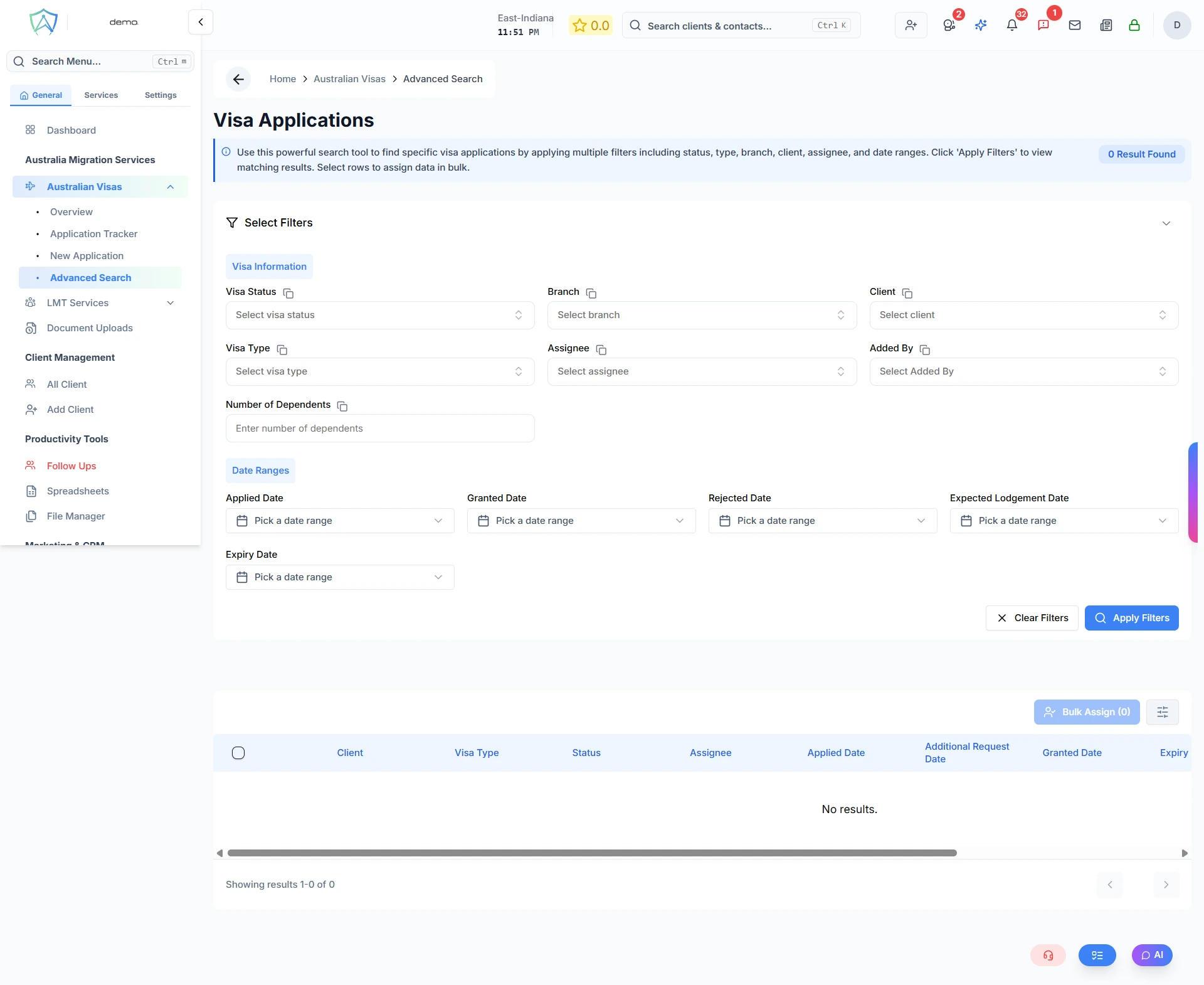
Available Filters
Visa Information Filters
- Client — search and select a specific client by name
- Visa Type — filter by visa subclass
- Visa Status — select a specific application stage (Enquiry, Documentation, Ready to Apply, Visa Applied, Additional Request, Granted, Rejected, Withdrawn, Terminated)
- Assignee — filter by the case officer assigned to the application
- Added By — filter by the staff member who created the application
- Branch — filter by office branch
- Number of Dependents — filter by the number of dependants on the application
Date Range Filters
- Applied Date — date the application was lodged
- Granted Date — date the visa was granted
- Rejected Date — date the application was rejected
- Expected Lodgement Date — target date to lodge the application
- Expiry Date — visa expiry date
Results Table Columns
| Column | Description |
|---|---|
| Client | Applicant's full name |
| Visa Type | The visa subclass |
| Status | Current application stage |
| Assignee | Assigned case officer |
| Applied Date | Date the application was lodged |
| Additional Request Date | Date an additional information request was opened |
| Granted Date | Date the visa was granted |
| Expiry Date | Visa expiry date |
| Last Updated | Date and time the record was last modified |
Running a Search
- Set your desired filters in the filter panel
- Click Apply Filters — results appear in the table below
- Click any row to open the full application record
- Click Clear Filters to reset all filters
Bulk Actions
Select multiple applications using the row checkboxes to:
- Bulk Assign — reassign a case officer to all selected applications at once
- Bulk Email — send an email to all clients matching the current filter results