Document Uploads
Required Role
DOCUMENT_MANAGEMENT permission required
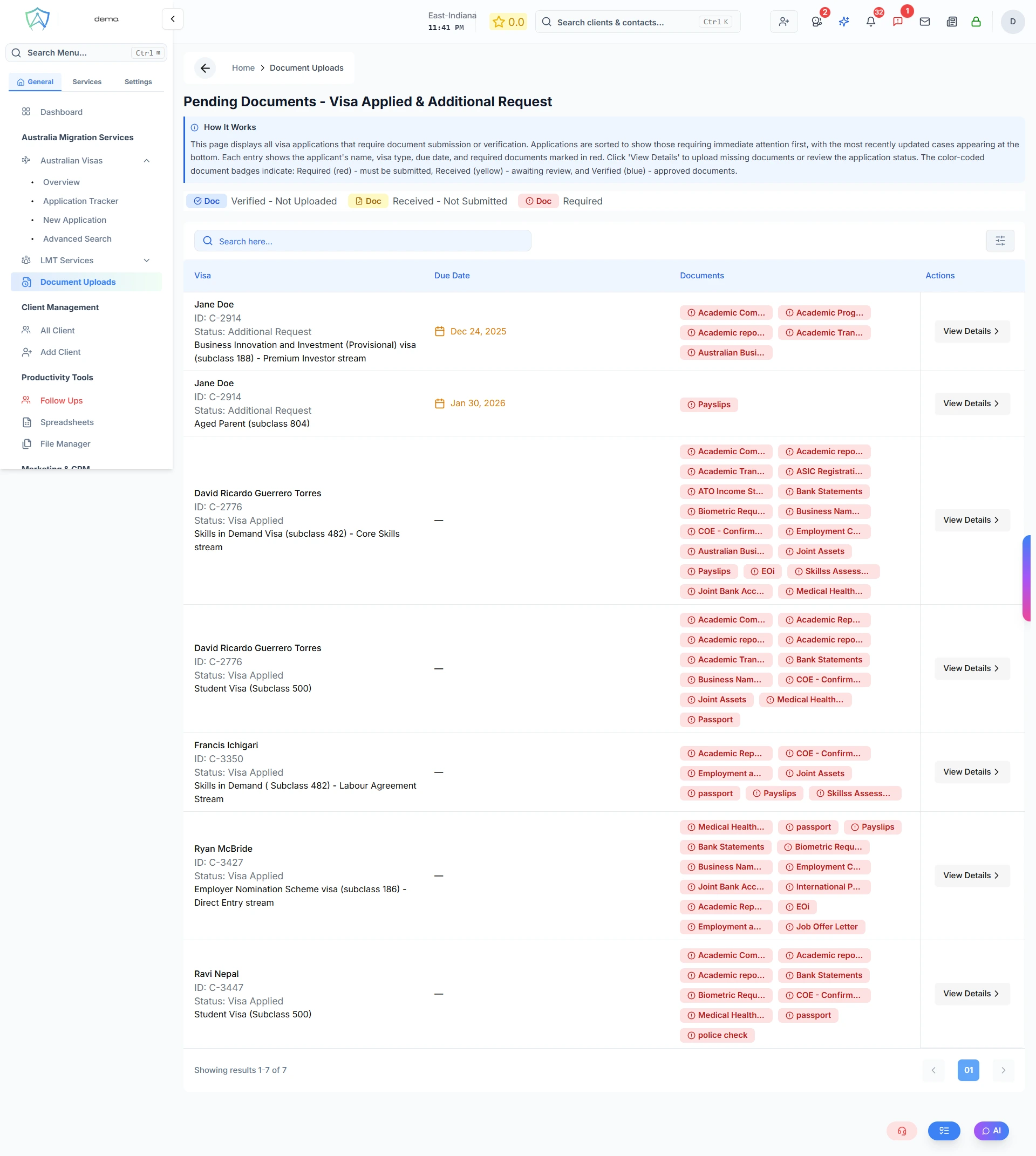
The Pending Documents page shows all visa applications currently at the Visa Applied or Additional Request stage, along with the document upload and verification status for each application. Use this page to track which documents still need to be submitted or reviewed.
What You'll See
Each row represents one visa application. The table has the following columns:
| Column | Description |
|---|---|
| Visa | Client name, contact person (for business profiles), client ID, current visa status, and visa type |
| Due Date | The due date for the additional information request (caseOpenedDueDate), shown in amber — displays — if not set |
| Documents | Color-coded document badges showing the upload and verification status of each required document |
Document Status Badges
Each document on the application is shown as a colour-coded badge:
| Badge Colour | Status | Meaning |
|---|---|---|
| 🔴 Red | Required | Document is required but has not been uploaded yet |
| 🟡 Yellow | Received — Not Submitted | Document has been uploaded but not yet submitted to the government |
| 🔵 Blue | Verified — Not Uploaded | Document has been verified internally but not yet uploaded to the government |
| 🟢 Green | Uploaded to Government | Document has been submitted to the Department of Home Affairs |
Hover over any badge to see the full document name and status.
Actions
Each row has a View Details button that opens the full visa application record for that client, with the document upload dialog pre-opened. From there you can:
- Upload missing documents
- Review document status
- Update the application