Add New Lead
Required Role
MARKETING permission required
Use Add New Lead to manually create a new lead record when you receive an enquiry via phone, walk-in, referral, or any other channel.
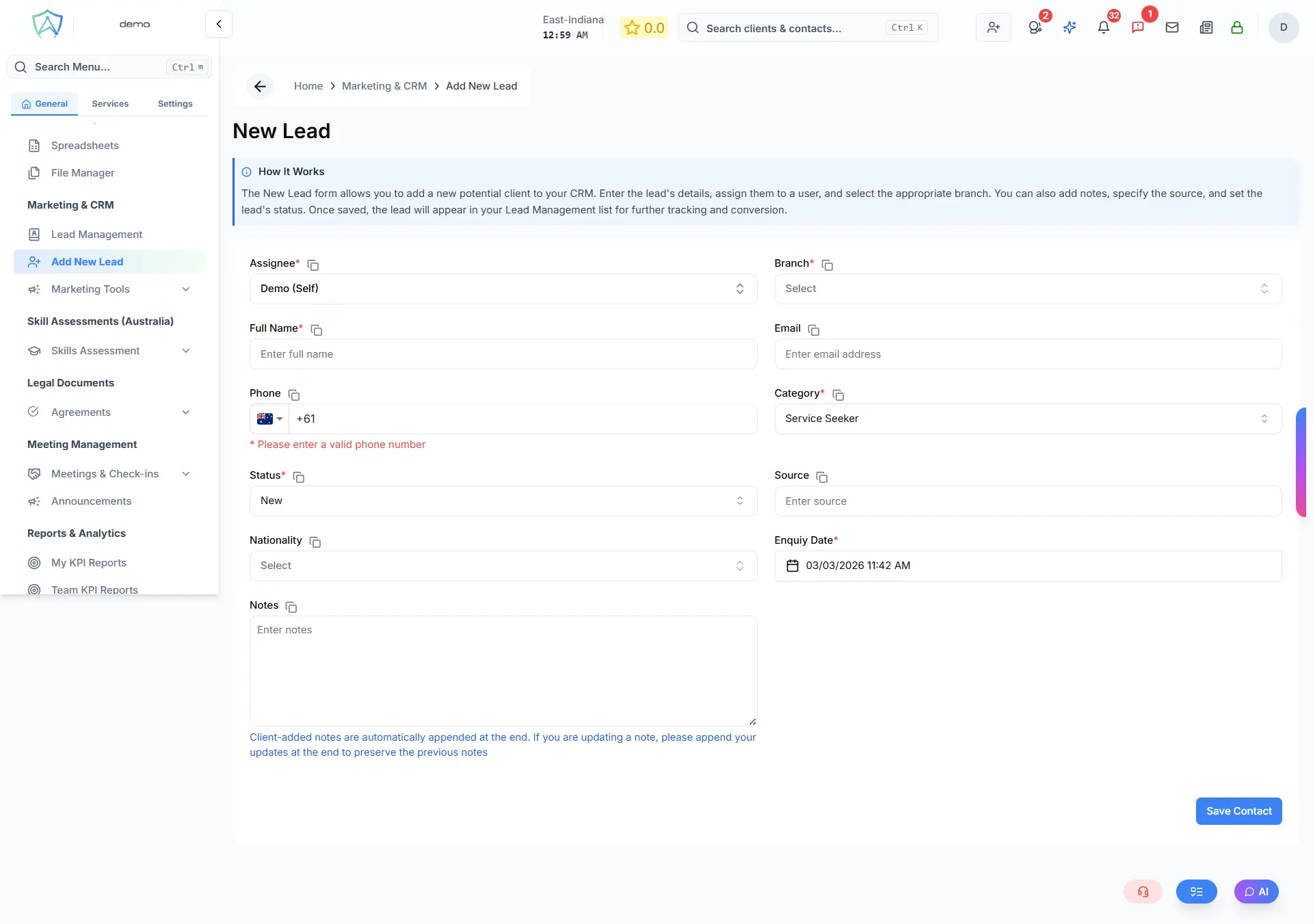
Lead Form Fields
Assignment
| Field | Required | Notes |
|---|---|---|
| Assignee | ✅ Yes | Defaults to the currently logged-in user |
| Branch | ✅ Yes | Branch the lead belongs to |
Contact Details
| Field | Required | Notes |
|---|---|---|
| Full Name | ✅ Yes | |
| No | Must be a valid email format if provided | |
| Phone | No | Must be a valid phone number if provided |
| Nationality | No | Country selector |
CRM Details
| Field | Required | Notes |
|---|---|---|
| Category | ✅ Yes | Service Seeker / Service Provider / Organisation / Others |
| Status | ✅ Yes | New / Lead / Prospect / Customer / Lost — defaults to New |
| Source | No | Free-text field — e.g. Walk In, Referral, Website, 3CX |
| Enquiry Date | ✅ Yes | Date and time of the enquiry |
| Notes | No | Free-text notes log. Append new notes at the end to preserve earlier entries. |
Saving
Click Save Contact to create the record. You will be redirected to the Lead Management list filtered to the New status.
MeetSync Integration
If a lead is created from a MeetSync walk-in client, the form is pre-filled with the client's name, phone, email, notes, and enquiry date automatically.