LMT Verification
LMT permission required
Labour Market Testing (LMT) is a requirement for certain Australian employer-sponsored visas (such as the Subclass 482 TSS visa). Before sponsoring an overseas worker, employers must demonstrate they have genuinely tried to find a suitable Australian worker first.
The LMT Verification module helps you manage and document this process on behalf of your employer clients.
What is LMT?
LMT involves advertising the position to the Australian labour market for a specified period, typically through:
- Online job boards (Seek, Indeed, LinkedIn)
- Industry publications
- Company websites
The Department of Home Affairs requires evidence of genuine attempts to recruit locally before approving employer-sponsored visa applications. A mandatory 28-day testing period must be completed before a verification can be marked as done.
LMT Verification List
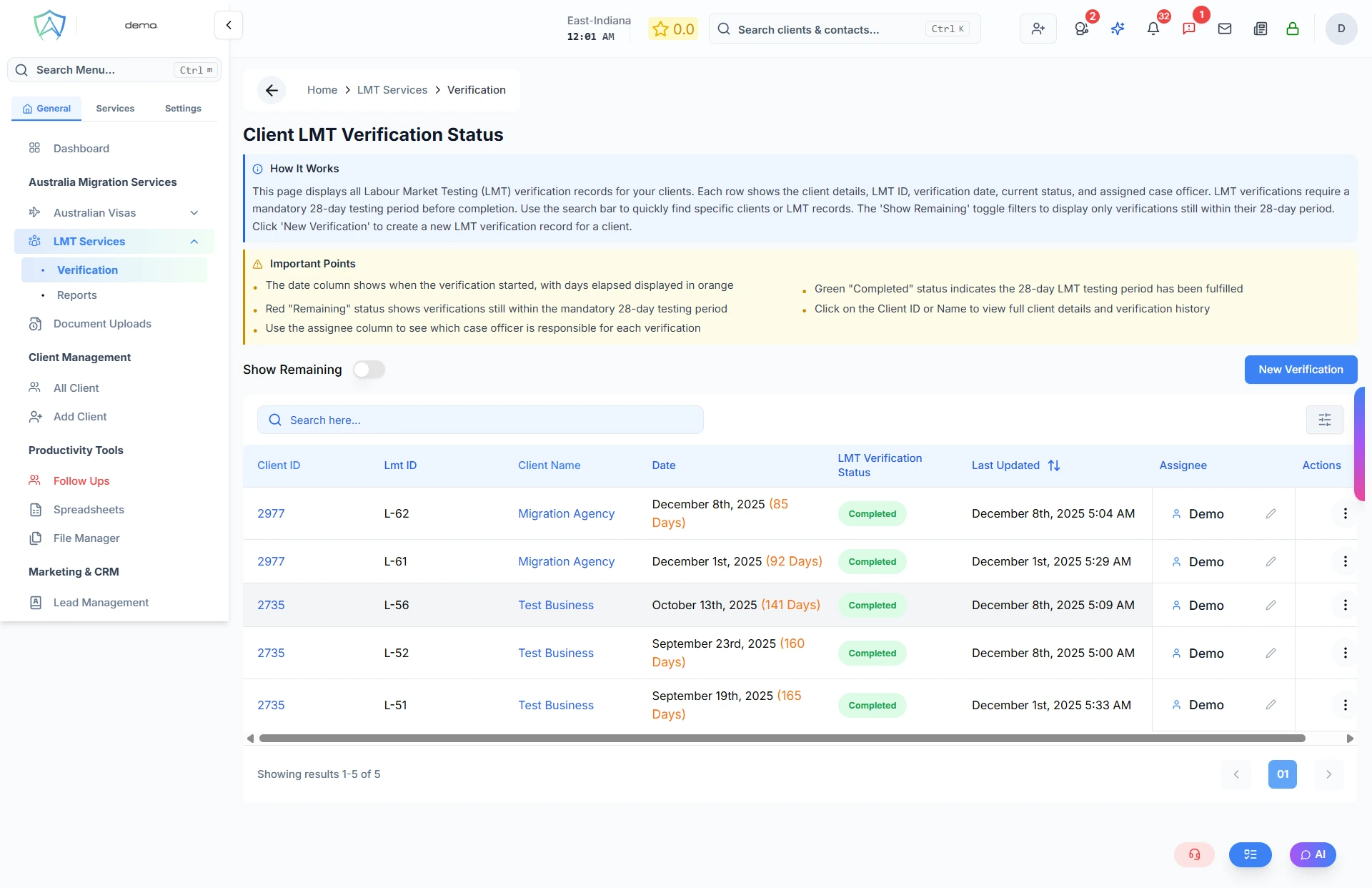
The verification list shows all LMT records for your clients:
| Column | Description |
|---|---|
| Client ID | Unique client identifier — click to view the full client profile |
| LMT ID | Unique LMT record identifier (prefixed with "L-") |
| Client Name | The sponsoring employer's business name — click to view client details |
| Date | Date the LMT verification started, with days elapsed shown in orange |
| LMT Verification Status | Completed — 28-day period fulfilled; Remaining — still within the mandatory 28-day period |
| Assignee | The case officer responsible for this verification |
| Last Updated | Date and time the record was last modified |
- 🟢 Completed — The 28-day LMT testing period has been fulfilled
- 🔴 Remaining — The verification is still within the mandatory 28-day testing period
Show Remaining Toggle
Use the Show Remaining toggle at the top of the list to filter and display only verifications that are still within their 28-day testing period and have not yet been completed.
Row Actions
Each row in the list has the following actions available:
| Action | When Available | Description |
|---|---|---|
| Edit | Always | Open and edit the LMT verification record |
| View | Always | View the LMT record in read-only mode |
| Delete | Managers and above | Permanently delete the LMT record |
| Generate Report | Completed + report not yet generated | Generate the LMT report for the verified record |
Assigning a Case Officer
Each LMT record can be assigned to a staff member using the inline assignee control in the table. Reassigning sends an automated email notification to the newly assigned case officer.
Creating a New LMT Record
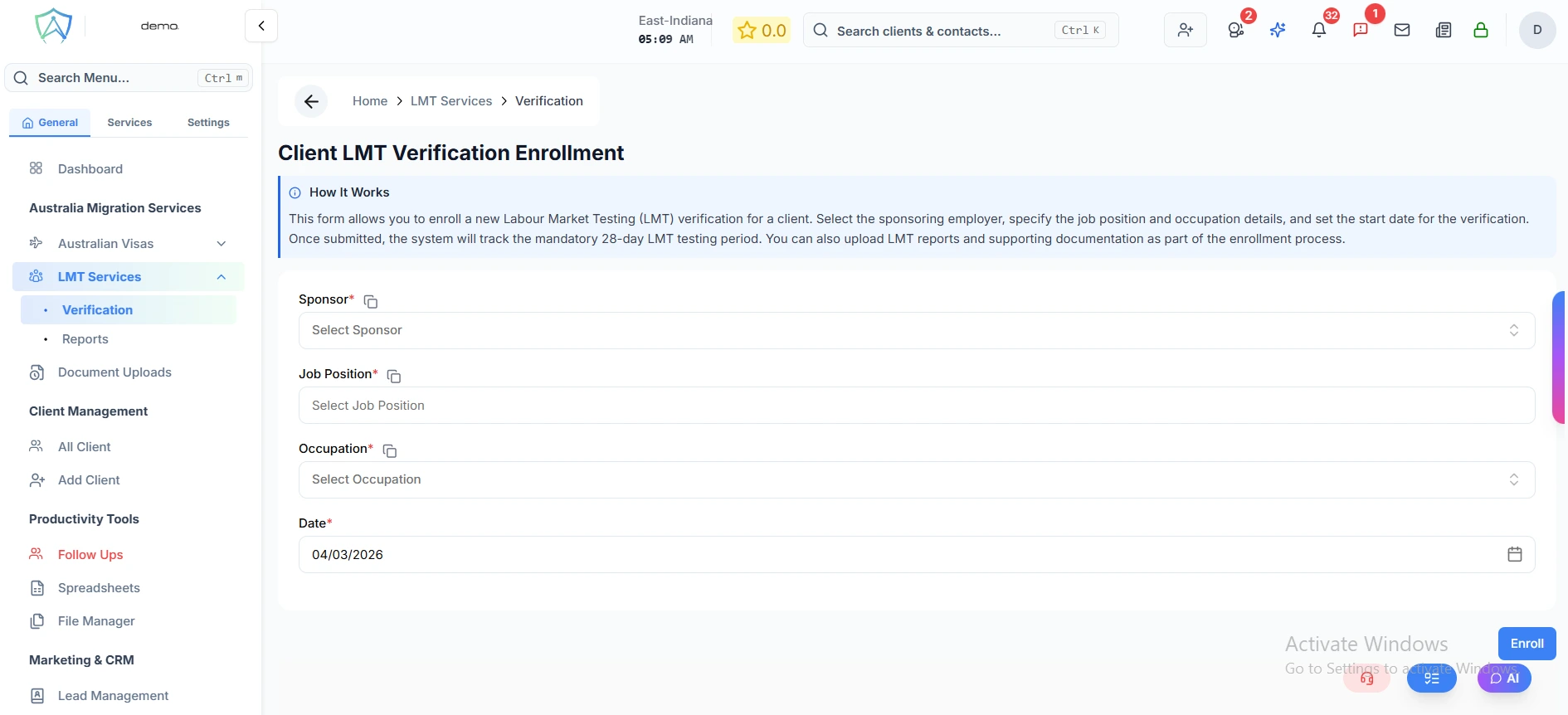
Click New Verification to create a new LMT verification record for a client.
Client Information
Fill in the following required fields and click Enroll to proceed:
| Field | Type | Description |
|---|---|---|
| Sponsor | Dropdown | The sponsoring employer (business client) |
| Job Position | Text | The title of the advertised position (e.g. Chef, Accountant) |
| Occupation | Dropdown | The nominated occupation from the standard occupation list |
| Date | Date | The date the LMT verification process commenced |