New Visa Application
Required Role
VISA permission required
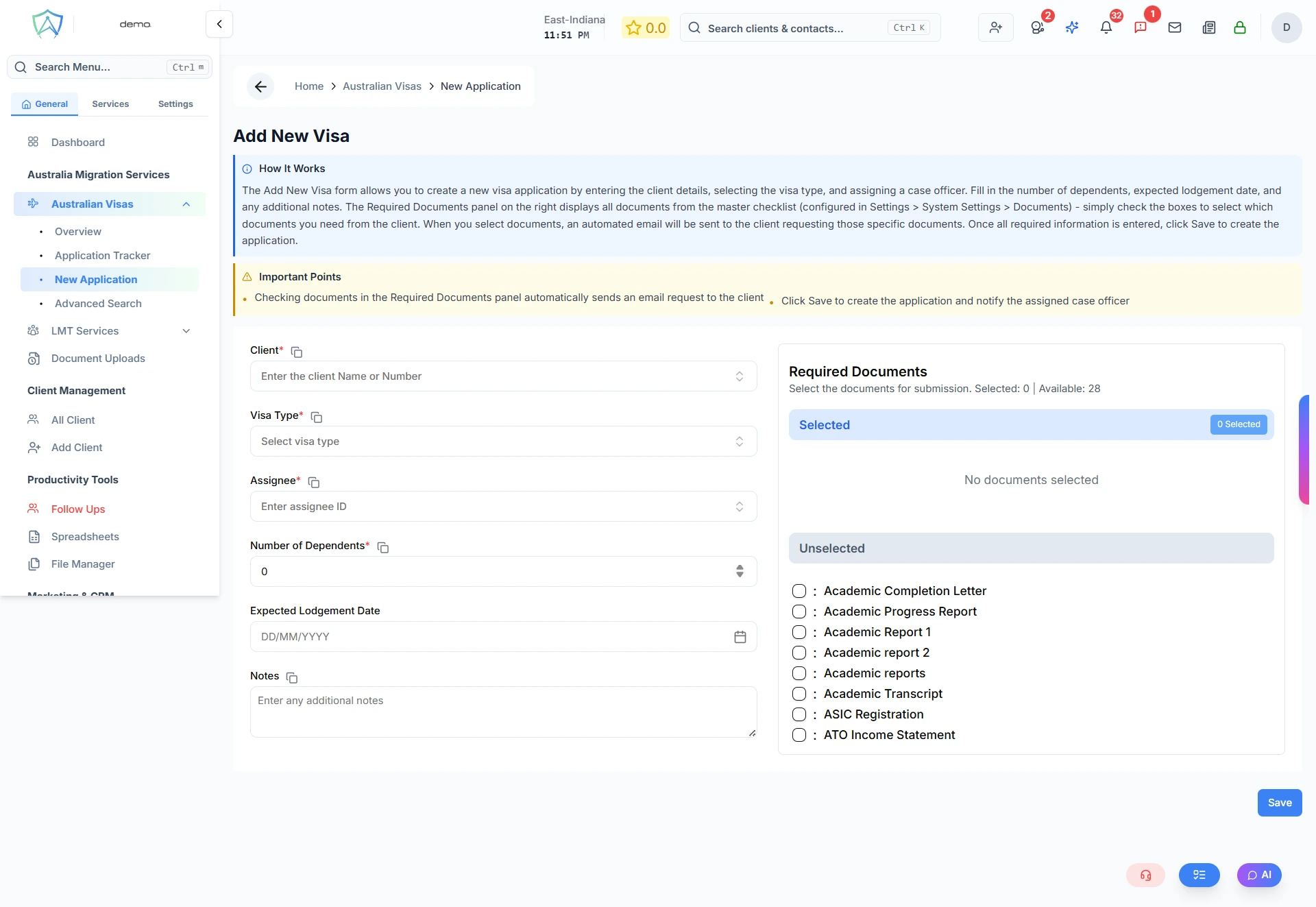
Use the New Application form to create a new Australian visa application record in Agent Manager. This will link the application to a client profile and begin the workflow for that visa type.
Before You Start
Make sure you have:
- An existing client profile (or create one first via Add Client)
- The client's visa subclass confirmed
- Basic personal details for the applicant
Step 1 — Select Client
Search for the client by name or email. If the client doesn't exist yet, click Create New Client to add them on the fly.
Step 2 — Select Visa Type
Choose the Australian visa subclass from the dropdown. Common visa types include:
- Subclass 482 — Temporary Skill Shortage
- Subclass 186 — Employer Nomination Scheme
- Subclass 189 — Skilled Independent
- Subclass 190 — Skilled Nominated
- Subclass 491 — Skilled Work Regional
- Subclass 500 — Student Visa
- Subclass 600 — Visitor Visa
- And many more...
Step 3 — Application Details
Fill in the core application details:
- Lodgement date (or expected lodgement date)
- Assigned agent — select the case officer responsible
- Priority level — Low / Medium / High / Urgent
- Notes — any initial notes relevant to the case
Step 4 — Document Checklist
Agent Manager will auto-generate a document checklist based on the visa type selected. Review and adjust the checklist as needed. Documents can be:
- Requested from the client via email (automated)
- Uploaded directly by the agent
Step 5 — Save
Click Create Application to save the record. The application will appear in the Application Tracker with a status of Draft.