New International Visa Application
Required Role
VISA permission required
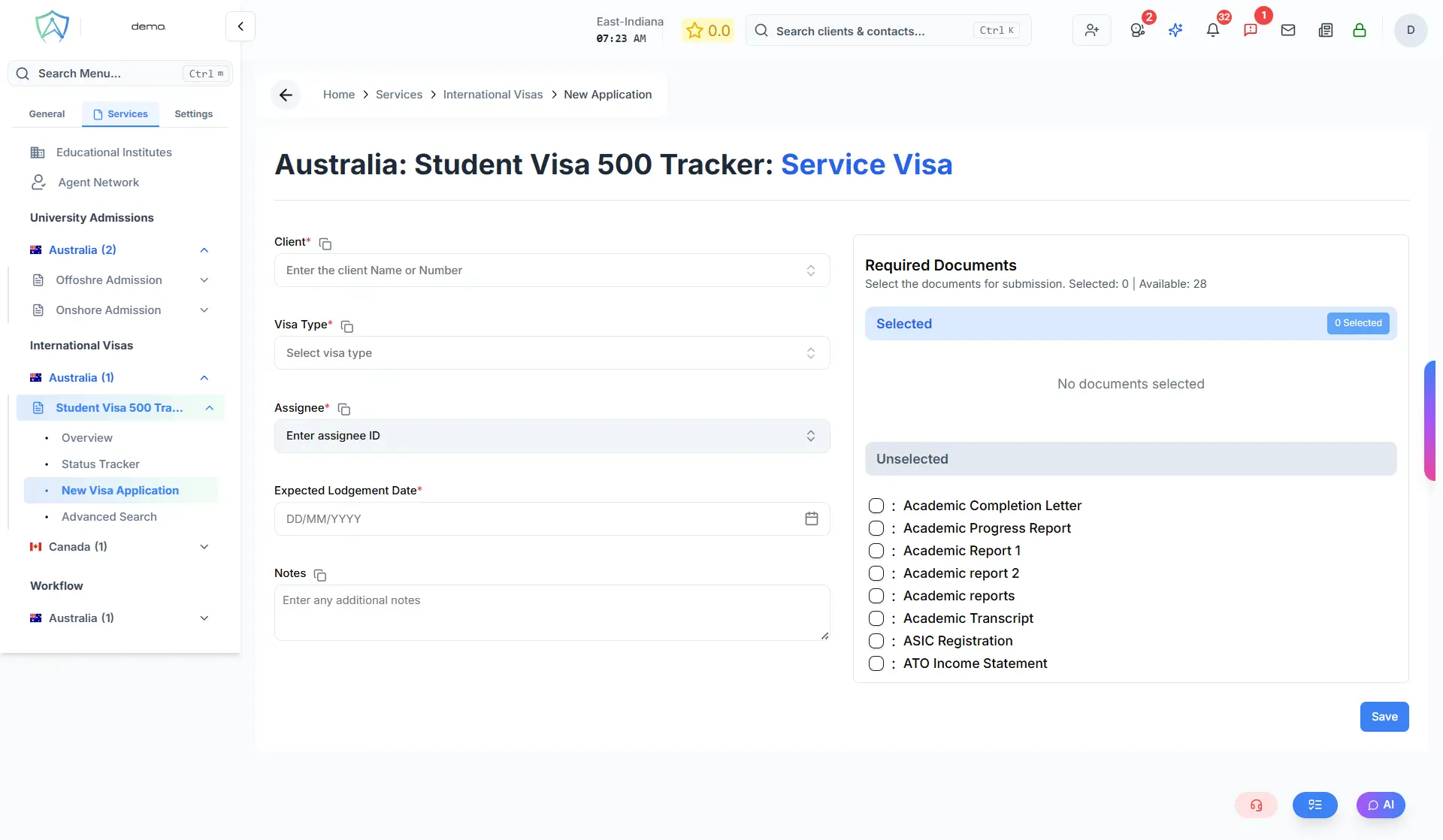
Use this form to create a new international visa application for a client.
Step 1 — Select Client
Search for or create the client's profile.
Step 2 — Visa Details
- Destination Country — pre-filled based on the service
- Visa Type / Category — select the specific visa subclass
- Purpose — Study / Work / Family / Tourist / Permanent Residence
Step 3 — Client Eligibility Details
Enter relevant information such as:
- Current visa status in the destination country (if applicable)
- Passport details and validity
- Employment or education details (depending on visa type)
- Family members being included in the application
Step 4 — Document Checklist
Auto-generated based on the visa type. Review and adjust the checklist as needed.
Step 5 — Application Details
- Target submission date
- Assigned agent
- Internal notes
Step 6 — Save
Click Create Application. It will appear in the Status Tracker as Draft.