Advanced Search
Advanced Search is a powerful filtering tool available across multiple sections of the portal. Instead of scrolling through long lists, you can narrow down records using combinations of filters, date ranges, and specific criteria — and export or take bulk actions on the results.
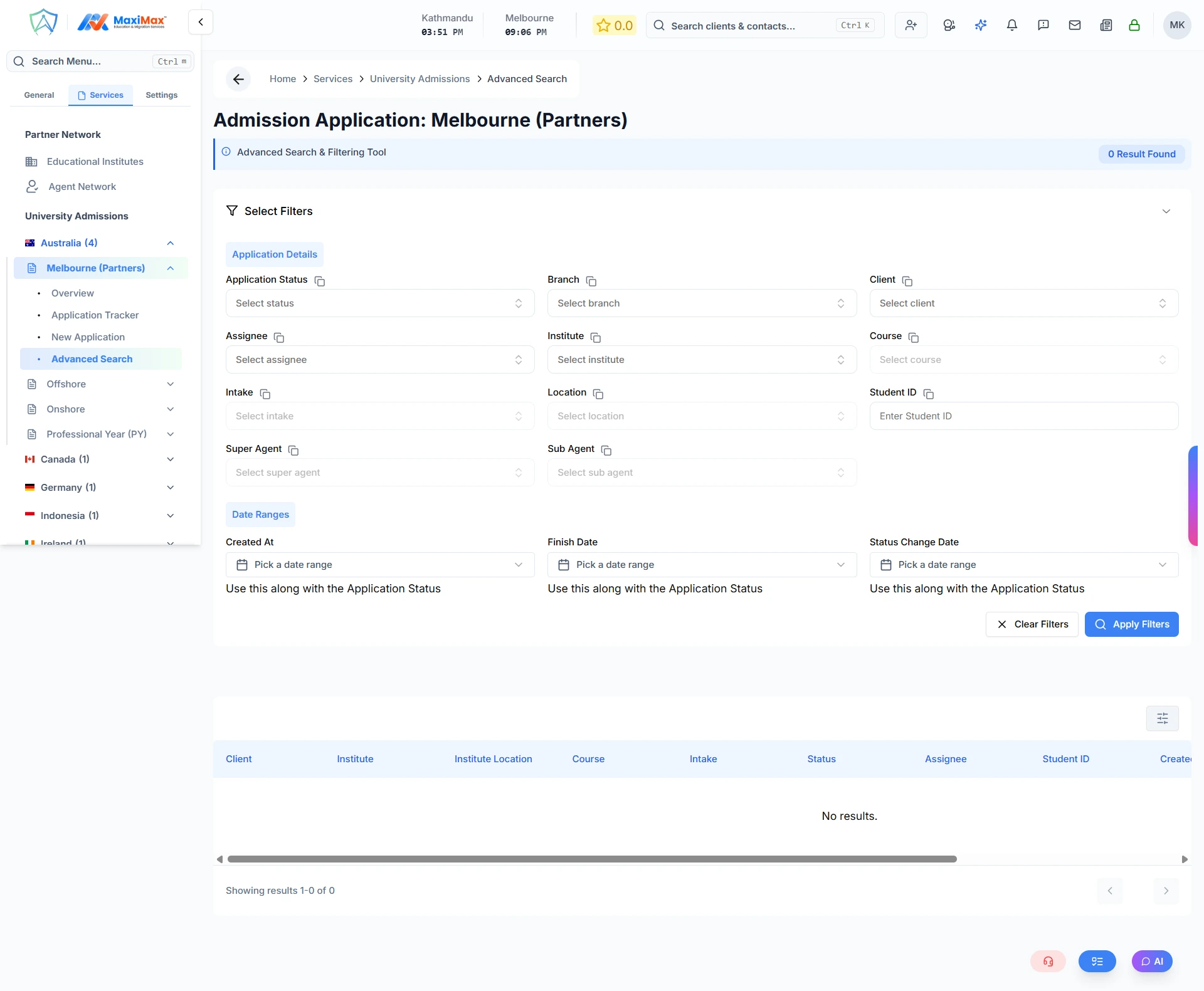
Every Advanced Search page shares the same structure:
- A collapsible filter panel where you select your criteria
- A results count badge showing how many records match
- A results table that updates as you apply filters
- A Clear Filters button to reset everything at once
- Filters are saved in the URL — you can bookmark or share a filtered view
Where It Is Available
Advanced Search exists in the following sections of the portal:
| Section | Where to find it |
|---|---|
| Clients | Client Management → Advanced Search |
| CRM Contacts | Marketing & CRM → Advanced Search |
| Australian Visas | Australia Migration Services → Australian Visas → Advanced Search |
| Skill Assessments | Australia Migration Services → Skill Assessments → Advanced Search |
| International Visas | Services tab → (Country) → Visa → Advanced Search |
| University Admissions | Services tab → (Country) → Admissions → Advanced Search |
| Workflow / Misc Services | Services tab → (Country) → Workflow → Advanced Search |
| Educational Institutes | Services tab → Partner Network → Institutes |
Bulk Actions (Admin)
When you are logged in as an admin or manager, additional bulk action buttons appear above the results table:
- Send Bulk Email — select multiple records and send a single email to all of them at once
- Bulk Assign (Visa only) — reassign multiple visa applications to a different staff member in one action
Select rows using the checkboxes on the left of each row, then click the bulk action button.
Tips
- Filters are combined — the more filters you apply, the narrower your results
- Date range pickers let you search within a from → to window, or just set one end of the range
- The results count badge updates instantly as filters change, before you even scroll down
- All filters sync with the URL so you can refresh the page and keep your filter state