Sidebar
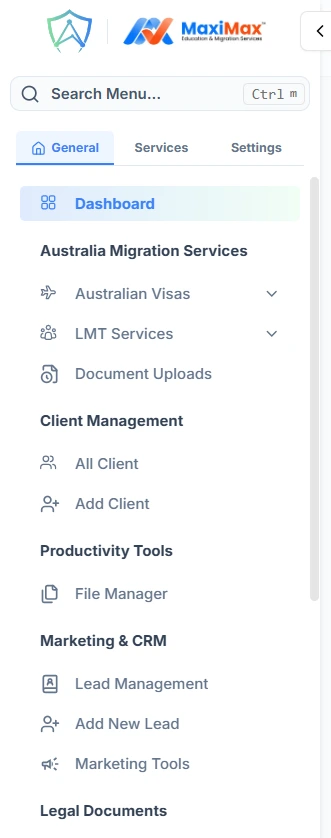
The sidebar is the main navigation panel fixed to the left side of every page. It contains three key areas stacked from top to bottom: the Search bar, the Menu Tabs, and the Navigation links for the active tab.
Search Bar

At the top of the sidebar, just below the logo, is a search box that filters the entire sidebar menu in real time.
- Start typing any page name to instantly narrow down the visible links
- Press
Ctrl+Mfrom anywhere on the page to focus the search bar directly without clicking it - A clear button appears while you are typing so you can reset the search with one click
When the sidebar is collapsed to icon-only mode, the search bar shrinks to a small magnifying glass icon. Clicking it automatically expands the sidebar and focuses the search input.
Menu Tabs

Directly below the search bar are three tabs that split the sidebar navigation into logical categories. Clicking a tab replaces the menu list below with only the links for that section.
| Tab | What it contains |
|---|---|
| General | Dashboard, clients, productivity tools, reports, attendance, and migration services |
| Services | Partner network, university admissions, visas, skill assessments, and workflow by country |
| Settings | Personal settings, system configuration, templates, and notification rules |
When the sidebar is collapsed to icon-only mode, the tabs are replaced by a single menu icon. Clicking it opens a small floating dropdown where you can still switch between the three tabs.